There's a Bug with Extended Events creation in SQL Server Management Studio 18.7: what it is and a workaround
■
Table of Contents
UPDATE 2: The bug was fixed in SSMS 18.8
UPDATE: The bug still isn’t fixed in SSMS 18.7.1
Oh boy, what I found; I haven’t seen anybody else reporting on it, yet, so here I am.
Fortunately, the bug is not breaking, as I’ve found a workaround, but still.
Repro
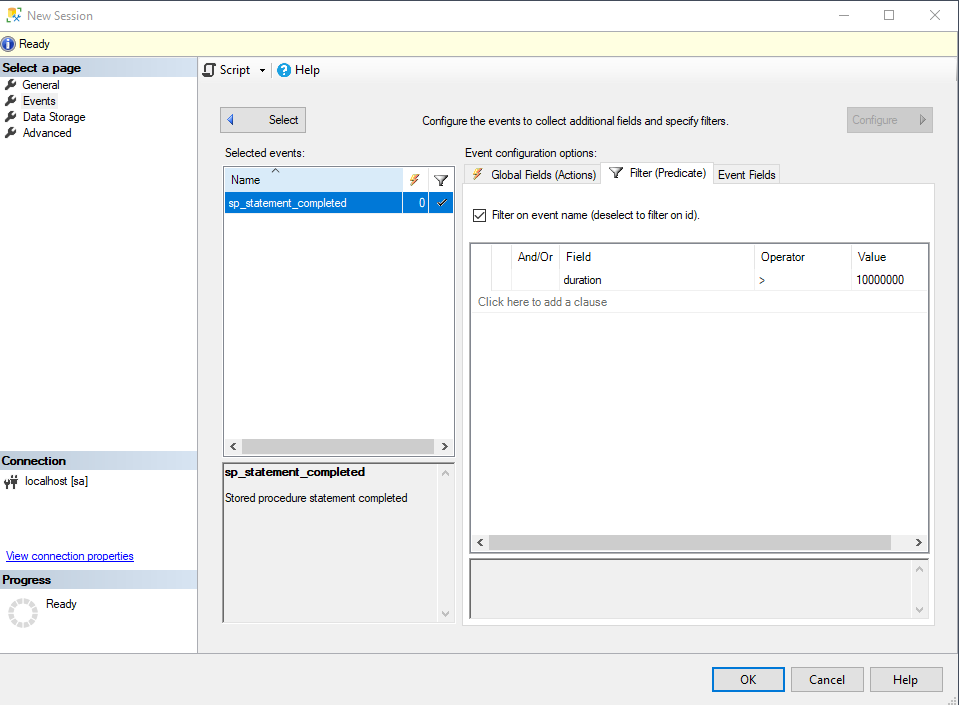
- Open the “New Session…” GUI for extended events in SSMS
- Give it a name, it’s not important
- Add an event with a Duration Field, I’ve added sp_statement_completed and configure it to be higher than an arbitrary value
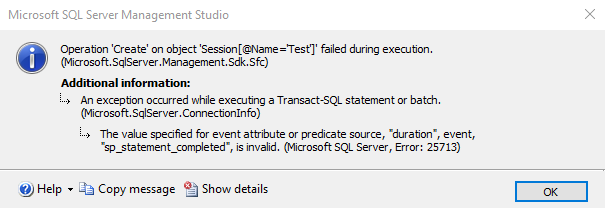
If you now try to press OK to create the Session, it will error out like this:
Explaination and Workaround
By scripting out the code that the GUI is trying to generate the issue is clear:
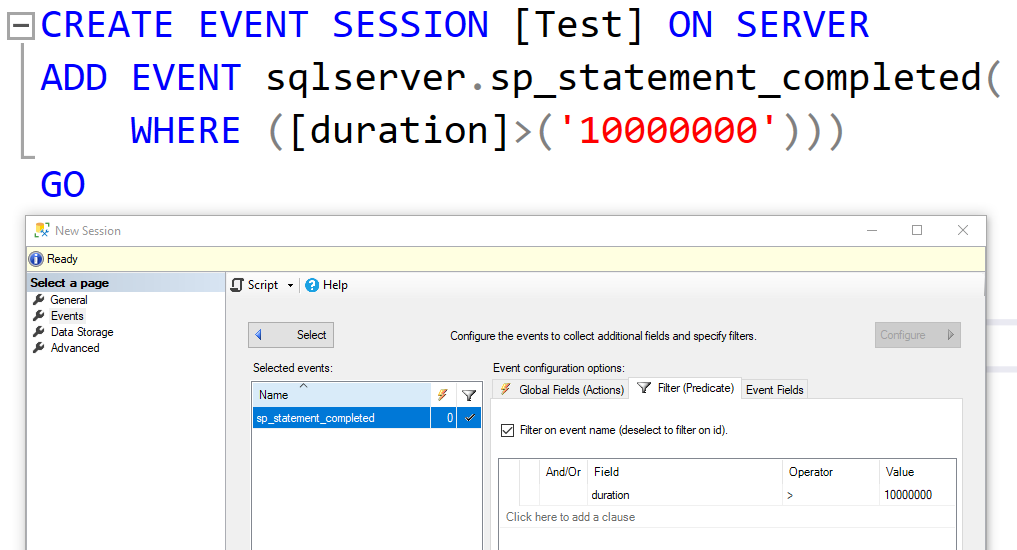
For some reason, it’s putting quotes around the date value, hence the query execution fails because the duration field expects an integer value.
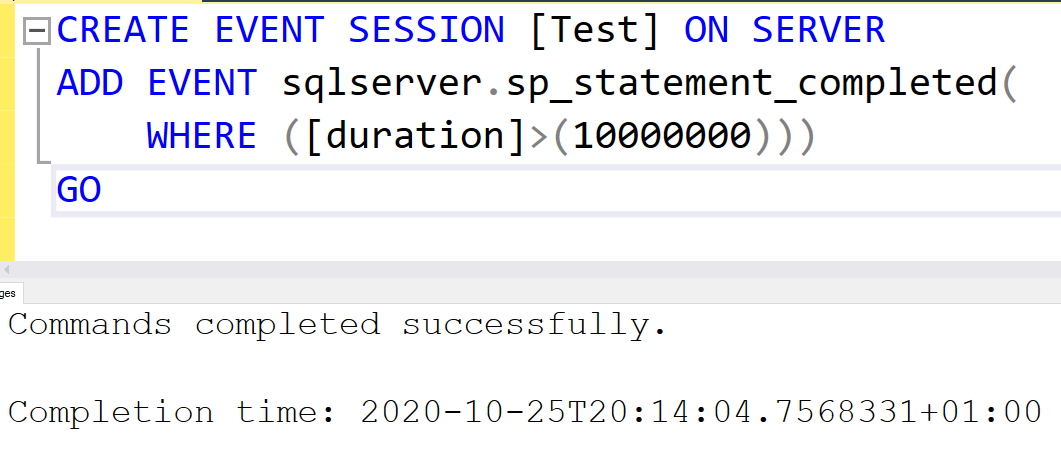
The fix is easy, just remove the quotes yourself and execute the scripted query:
I hope it helps, and especially that it gets fixed asap alongside other bugs that are definitely there.