You can now access the SQL Server Diagnostic Book remotely!
UPDATE: This is now somewhat deprecated, because you can install the Book as an extension, without having to type anything, as detailed here.
Good news everyone, thanks to the Azure Data Studio August 2020 update you can now access the SQL Server Diagnostic Book without having to download the book from my Github.
Remote Jupyter Books have been added to ADS, now you just need to click “Add Remote Jupyter Book” in the Notebooks blade and insert my GitHub repository URL, like so:

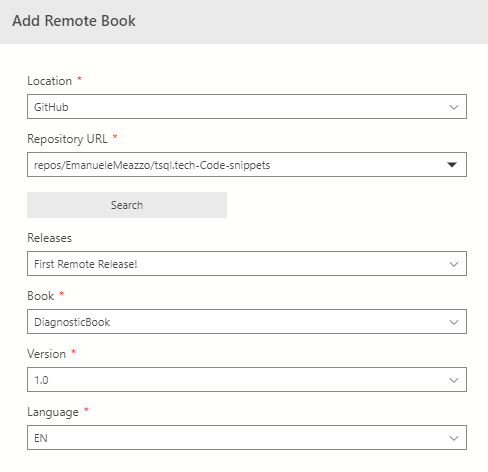
Be sure to click the “Search” button after inserting the Repository URL
Here the URL for your Copy/Paste convenience: repos/EmanueleMeazzo/tsql.tech-Code-snippets
I’ve updated the book’s notebooks with the latest versions, of course, here’s the list of included Notebooks:
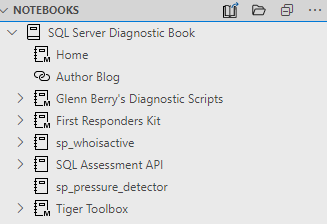
- Glenn Berry’s Diagnostic Scripts
- The First Responders Kit Notebook (samples & installation)
- SQL Assessment API Notebooks
- Some Tiger Toolbox Notebooks
- sp_whoisactive installation and basic documentation notebooks
- sp_pressure_detector as a Notebook
As always, if you want to see anything else in the Book, just hit me up with your request :)